Mobile application risk management. Decisions you can defend.
Assess iOS and Android apps, review security and privacy findings, and monitor changes. Bring evidence, approvals and review history together for the applications your organisation relies on.
Mobile risk management starts with understanding the applications your people use. MobSTR helps you assess third-party mobile apps against their permissions, dependencies, security findings and privacy evidence, then decide what is appropriate for your organisation.
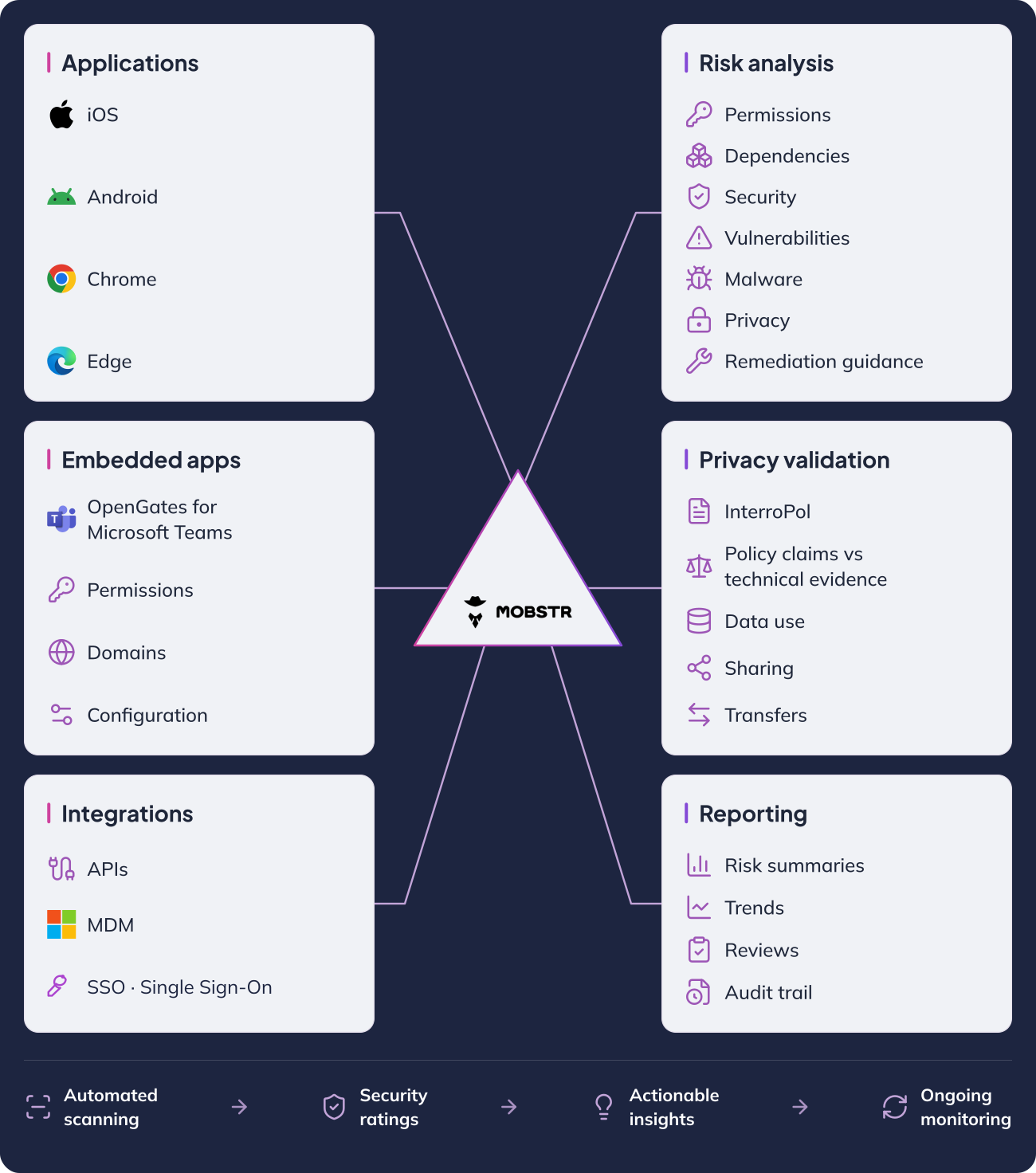
Bring automated analysis, security ratings, privacy evidence and monitoring into your third-party risk management workflow. Assess findings alongside business purpose, data sensitivity and operational importance. Extend the same review to Chrome and Edge browser extensions and embedded Microsoft Teams apps.
Connected capabilities. One application risk platform.Enlarge overview ↗
THE MobSTR PLATFORM / 01
Dashboard
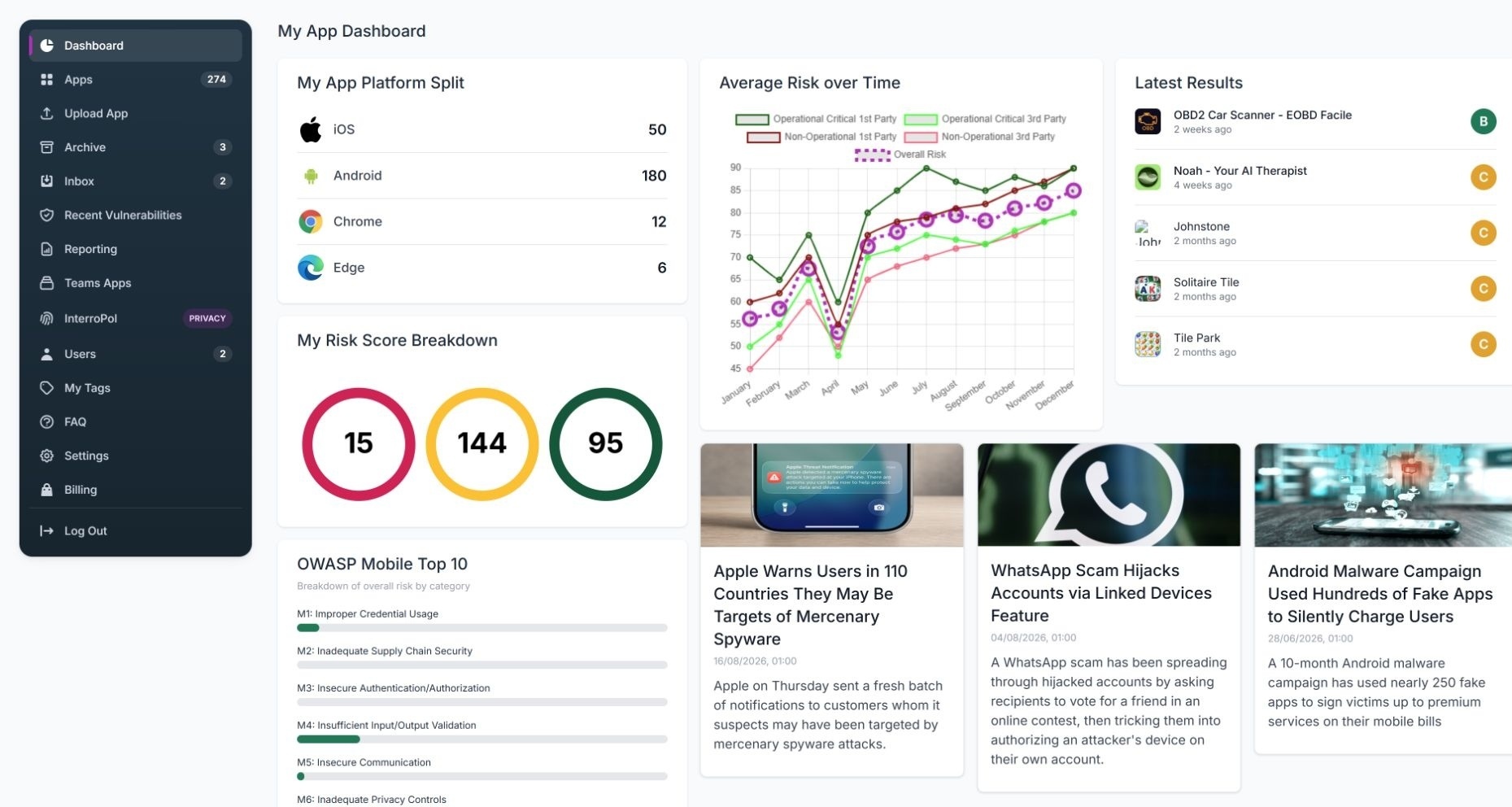
See your application estate across iOS, Android, Chrome and Edge. The dashboard brings platform counts, risk-score distribution, OWASP Mobile Top 10 categories and the latest assessment results into one view.
Follow average risk over time, including first-party and third-party applications by operational importance. Give security teams and leadership a shared view of the estate.
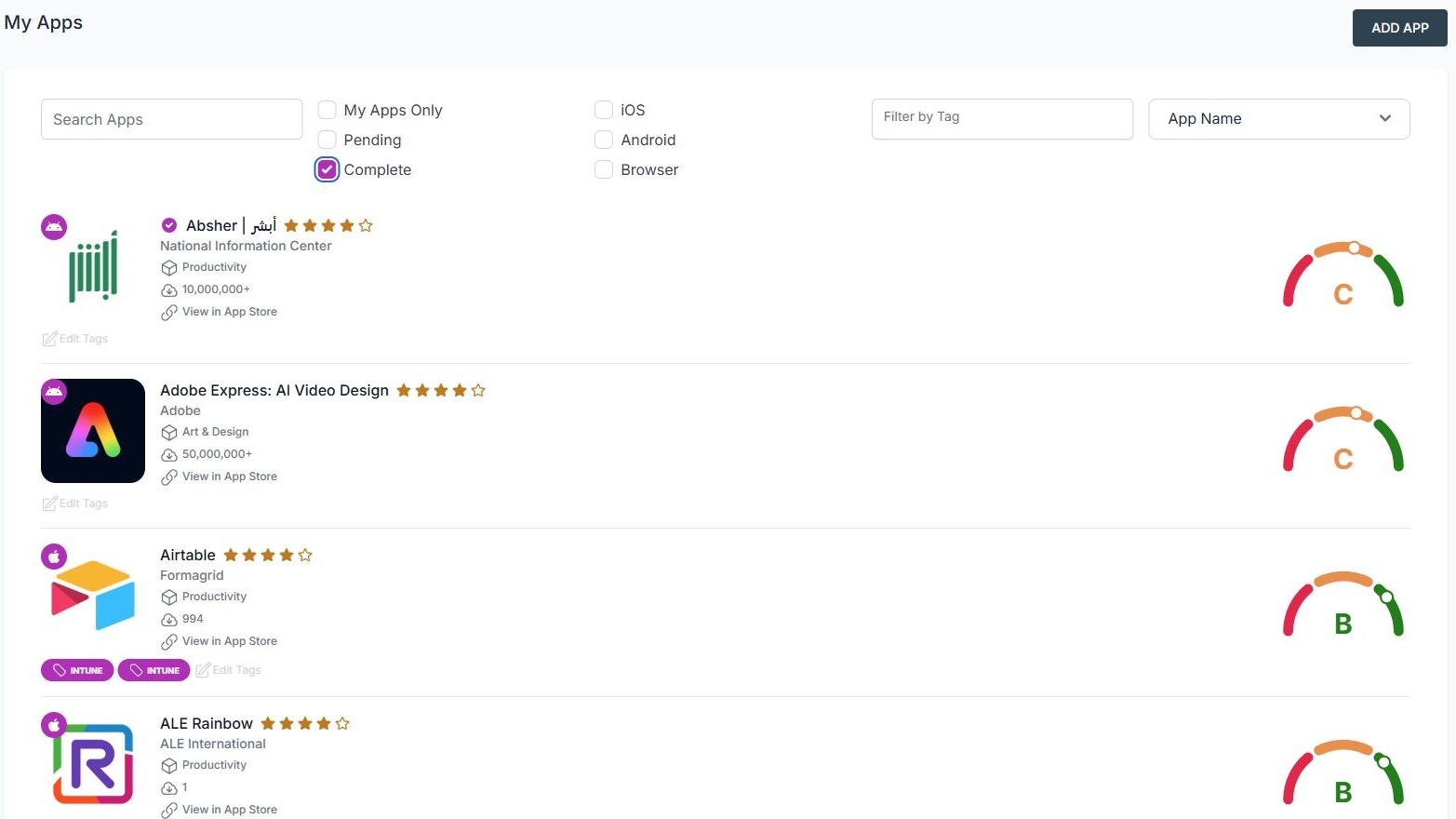
Search your inventory, focus on your own apps, and filter by pending or completed assessments, platform and tags. Sort by score, app name or date added to organise the review around your priorities.
Add apps from Google Play, the Apple App Store, Chrome Web Store or Edge Add-Ons. The manual upload page accepts Android APK and Chrome / Edge CRX files. Store updates trigger a rescan and an email notification with changes to the risk score.
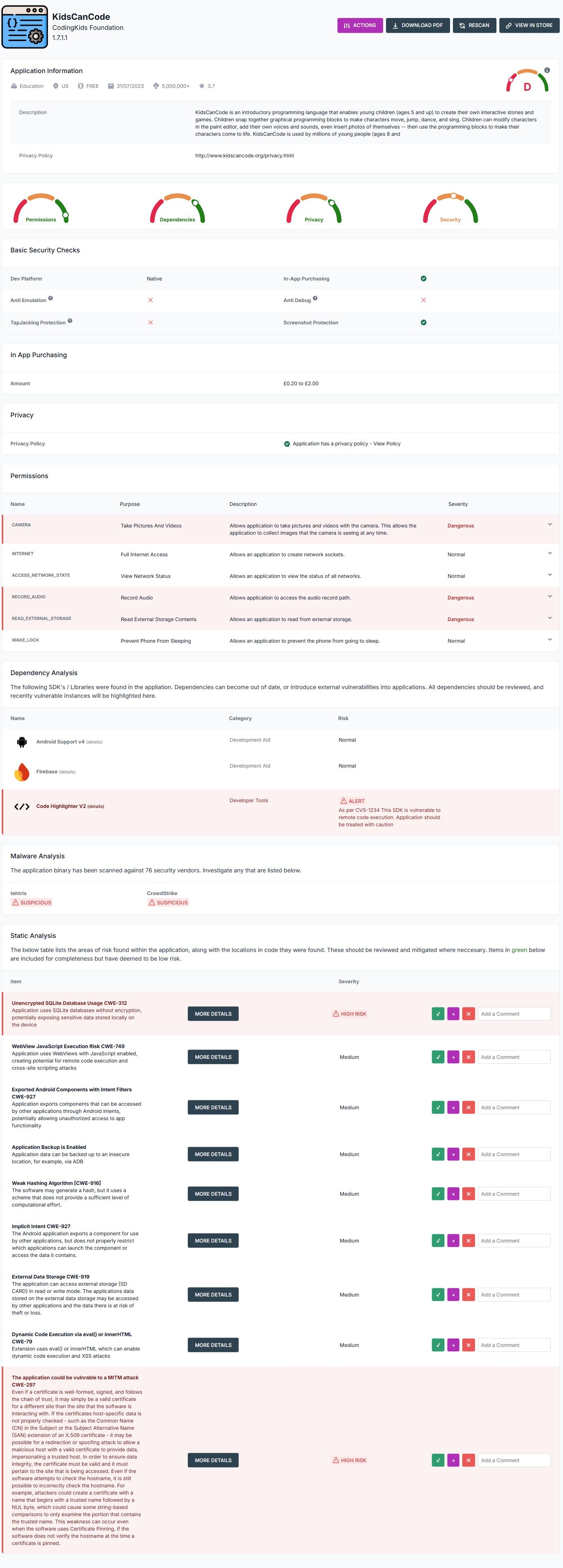
MobSTR combines automated testing, machine-learning-assisted analysis and reverse engineering to identify application weaknesses. Review the findings alongside permissions, dependencies, privacy and security ratings to prioritise investigation.
Inspect app versions, SDKs and libraries, malware-analysis results, detailed static findings, severity and CWE references. The privacy section now includes a concise InterroPol findings summary, with a link to the full privacy assessment. Record review comments and mitigations, approve apps or reject and archive them, and download the assessment as a PDF.
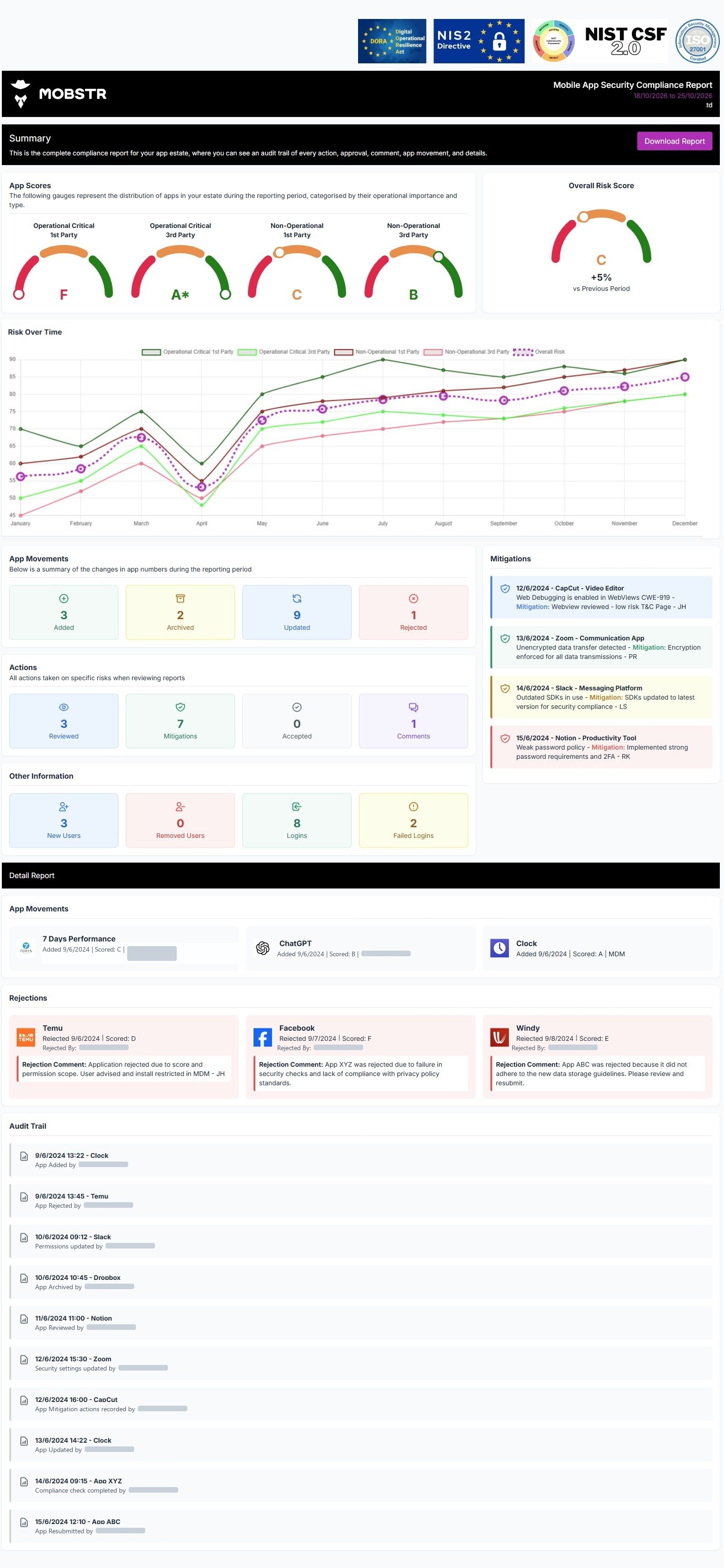
Bring application oversight into a report your team can review and share. The reporting view combines app scores, overall risk, trends, app movements and review activity for a reporting period.
Follow approvals, rejections, comments and mitigation records alongside an audit trail. For regional assurance reviews, pair the exported evidence with the applicable framework, decision owner and any outstanding supplier question. Consult the jurisdiction guide when preparing your review.
Keep application risk under continuous review with 24/7 automated monitoring. MobSTR detects new app-store versions, triggers rescans and sends email notifications that include changes to the risk score.
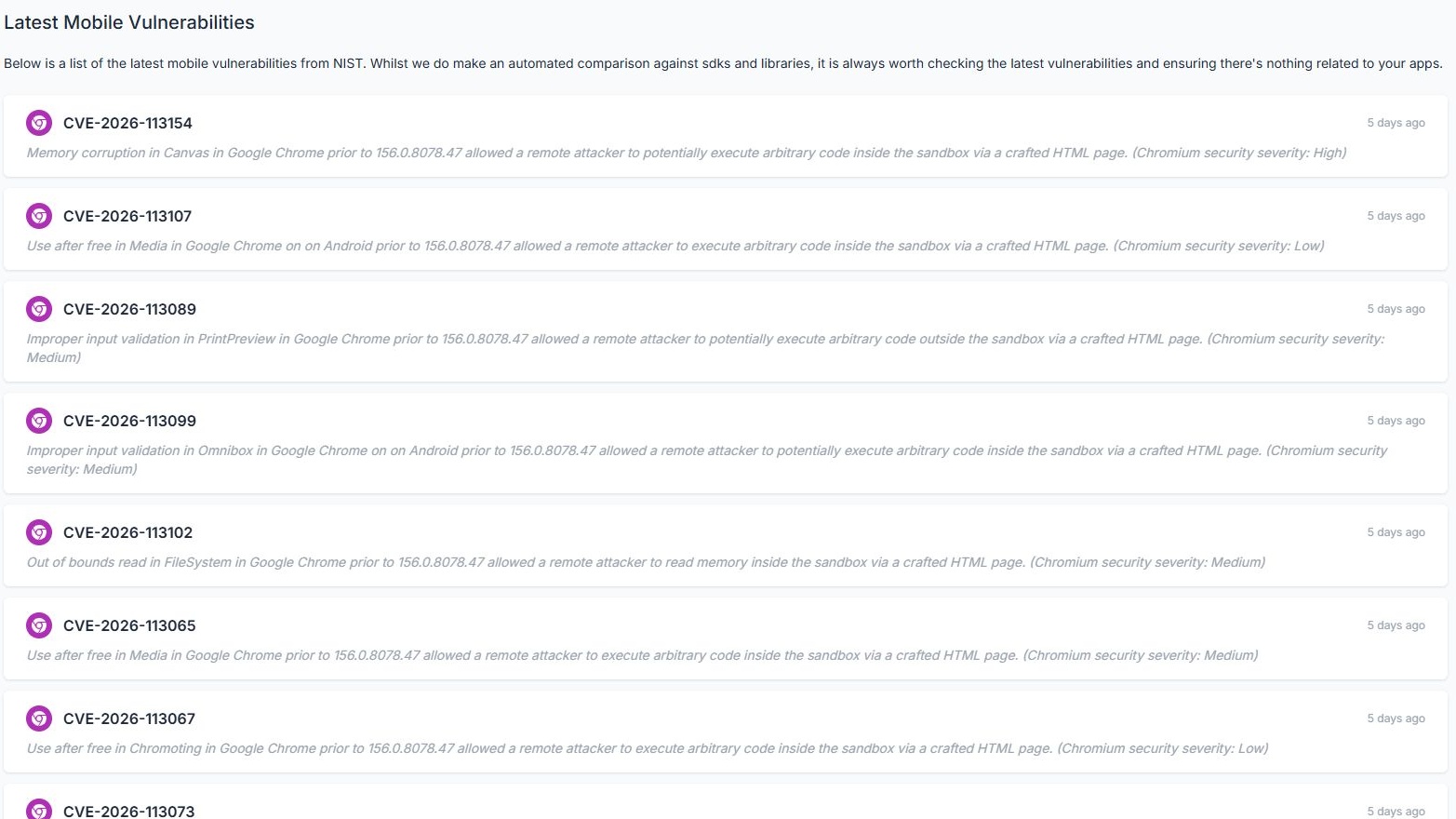
The Recent Vulnerabilities page brings NIST vulnerability references into the platform. Review these alongside automated comparisons against SDKs and libraries, then use the findings to prioritise investigation and remediation.
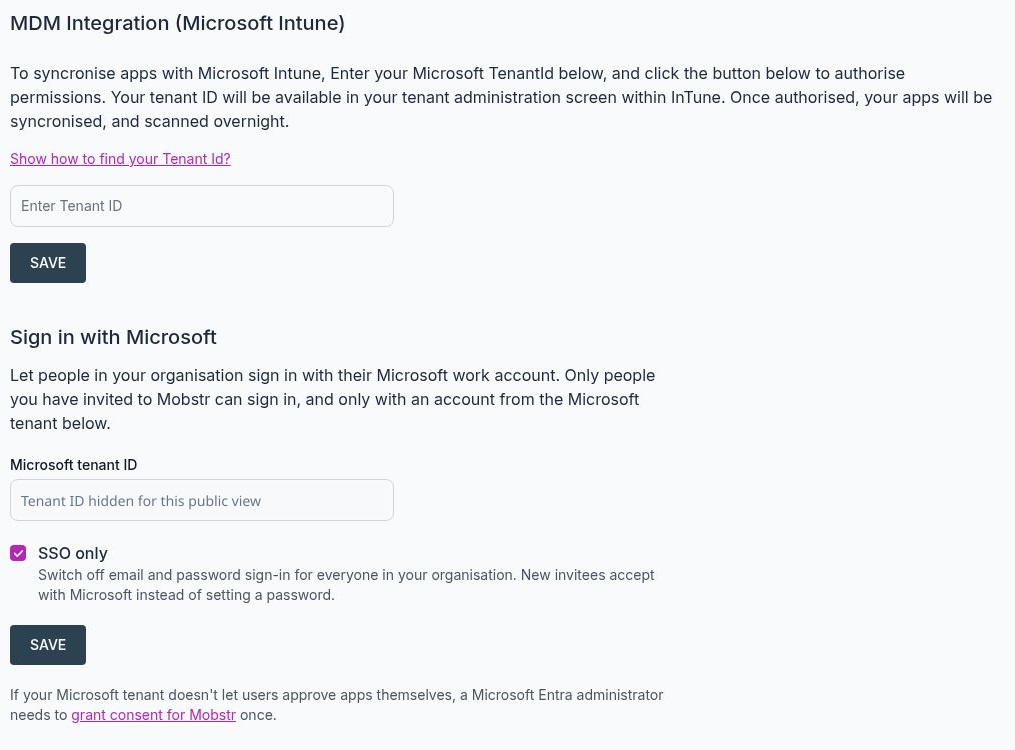
Manage application discovery and team access from Settings. Microsoft Intune integration brings discovered apps into MobSTR for assessment; Microsoft single sign-on lets invited users sign in with work accounts from your organisation’s configured tenant.
Optional SSO-only mode switches off email and password sign-in across your organisation. New invitees then accept with Microsoft instead of setting a password. Microsoft Entra administrator consent may be required, depending on your tenant’s policy.
Settings · Intune integration and Microsoft sign-in · tenant ID hidden; configuration shown is an exampleEnlarge screenshot ↗
EXTEND YOUR APPLICATION OVERSIGHT
Beyond the mobile device.
Browser extension risk management
Add a Chrome Web Store or Edge Add-Ons URL to bring browser extensions into your application inventory. Review permissions, code and third-party components alongside mobile apps; Chrome and Edge CRX uploads are also supported.
Review the third-party apps people add inside Teams. Browse and pin apps, then examine security findings, permissions, configured domains and compliance documentation in OpenGates.
Review mobile app privacy policies with InterroPol. Understand data collection and sharing in plain English, compare individual claims with MobSTR’s evidence and prioritise unresolved questions.
Mobile apps, browser extensions, Teams and privacy. One conversation to get started.
Your privacy, your choice.
With your permission, we use HubSpot and PostHog analytics to understand which pages and campaigns bring visitors and enquiries, how the pricing calculator is used, and how quickly the website loads and responds. Optional tracking stays off until you accept. Cookie details