Focus the review
Keep the apps that matter to your organisation together in the pinned view.



MICROSOFT TEAMS APP SECURITY · EMBEDDED IN MobSTR
Third-party apps inside Microsoft Teams introduce their own permissions, connections and data-handling responsibilities. OpenGates brings these findings into MobSTR so you can assess each app against its business purpose and the environment it supports.
Explore OpenGates with usSEE HOW IT WORKS
See why embedded apps need security and compliance oversight, and how OpenGates keeps their risk under review.
FROM CATALOGUE TO PRIORITIES
Teams supports apps from third-party publishers as well as Microsoft. Explore the OpenGates catalogue, search by app or developer, and compare ratings and scan dates. Pin the applications that matter to your organisation for closer review.
OpenGates catalogue snapshot: 3,608 apps listed as at 25 October 2026.
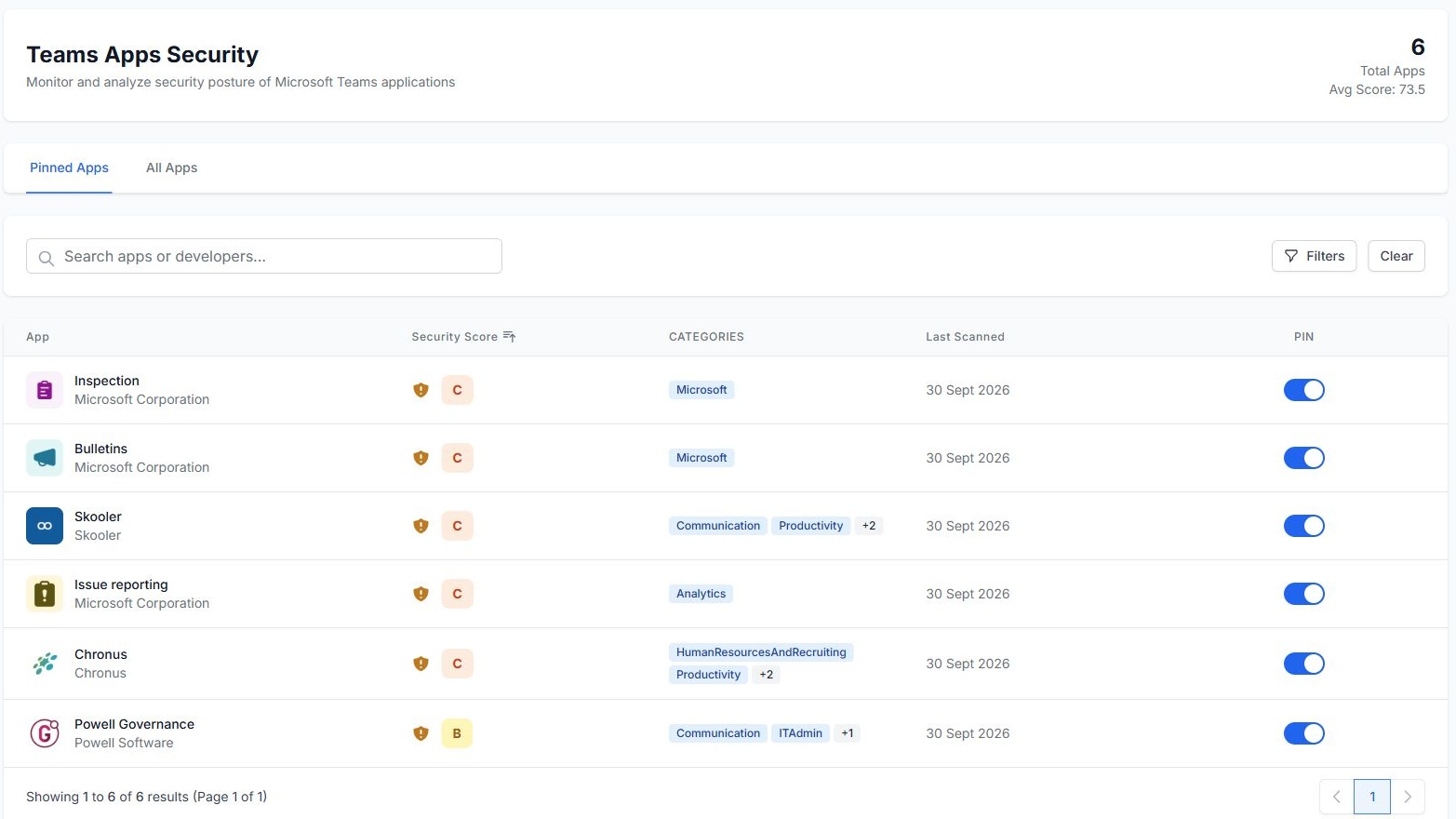
Keep the apps that matter to your organisation together in the pinned view.
Consider findings alongside data access, business criticality and the sensitivity of the environment in which the app is used.
Open an app to examine its manifest, permissions, configuration and supporting documentation.
SECURITY ANALYSIS
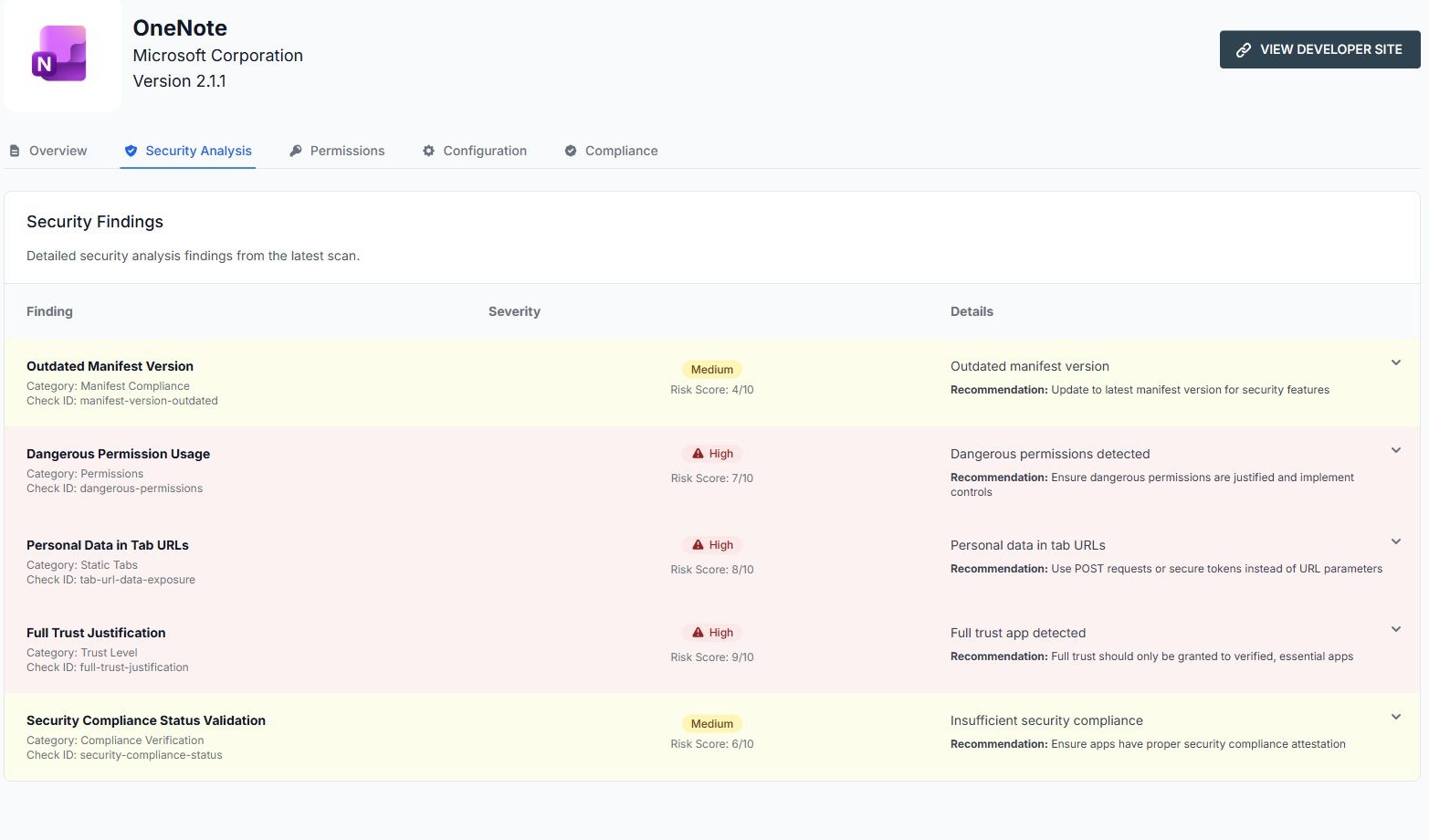
Security findings bring together a category, check identifier, severity, risk score and recommendation. Move from a broad app rating to the specific evidence behind it.
Checks can highlight outdated manifests, sensitive data in tab URLs, permissions that need justification, full-trust settings and missing compliance evidence. Review the context before deciding what action is appropriate.
PERMISSIONS
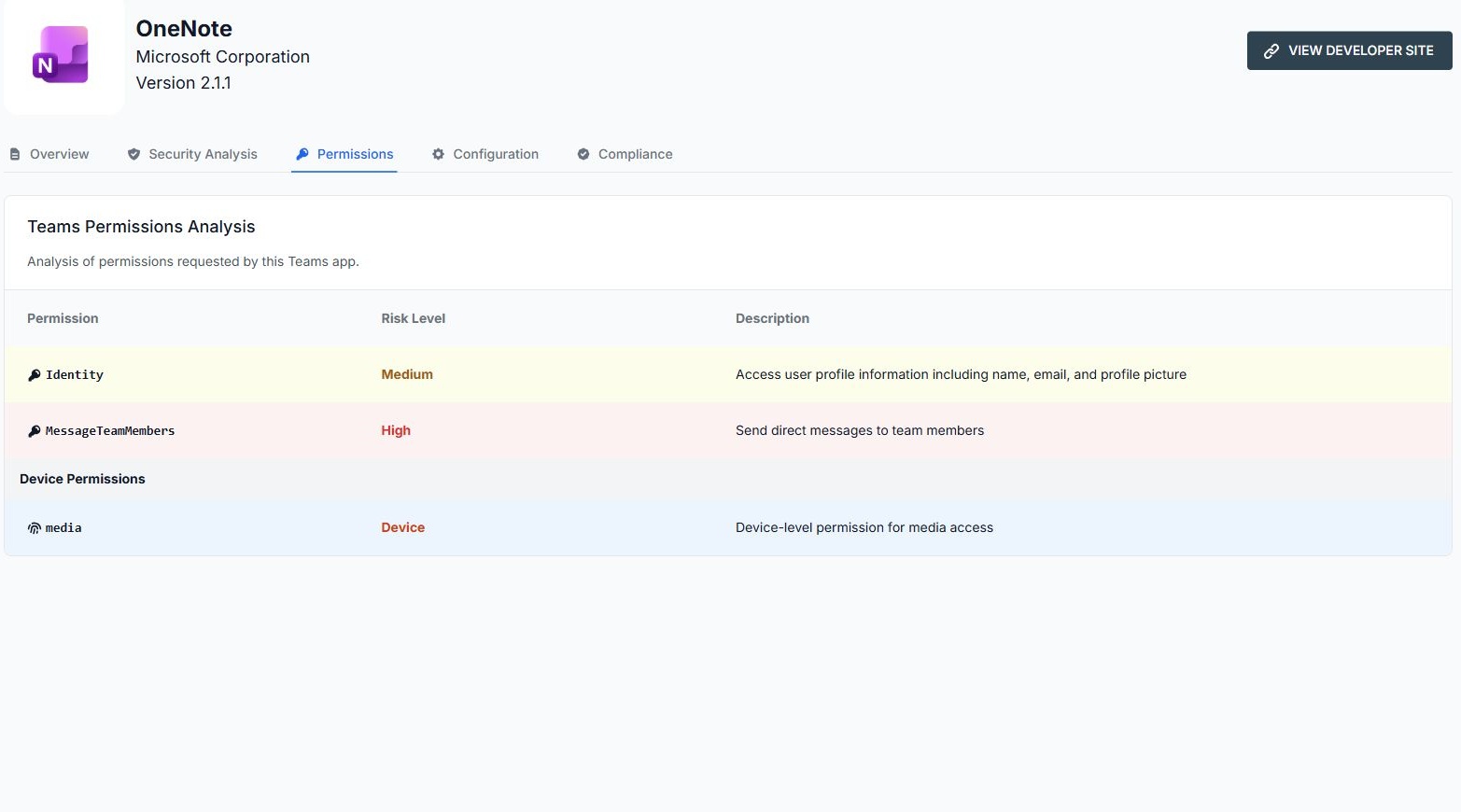
The permissions view explains requested access in plain language, alongside its risk level. Review identity access, messaging permissions and device permissions without having to interpret the manifest alone.
Compare the requested access with the app’s purpose and your organisation’s requirements. Use that evidence to support approval, restriction or further investigation.
CONFIGURATION
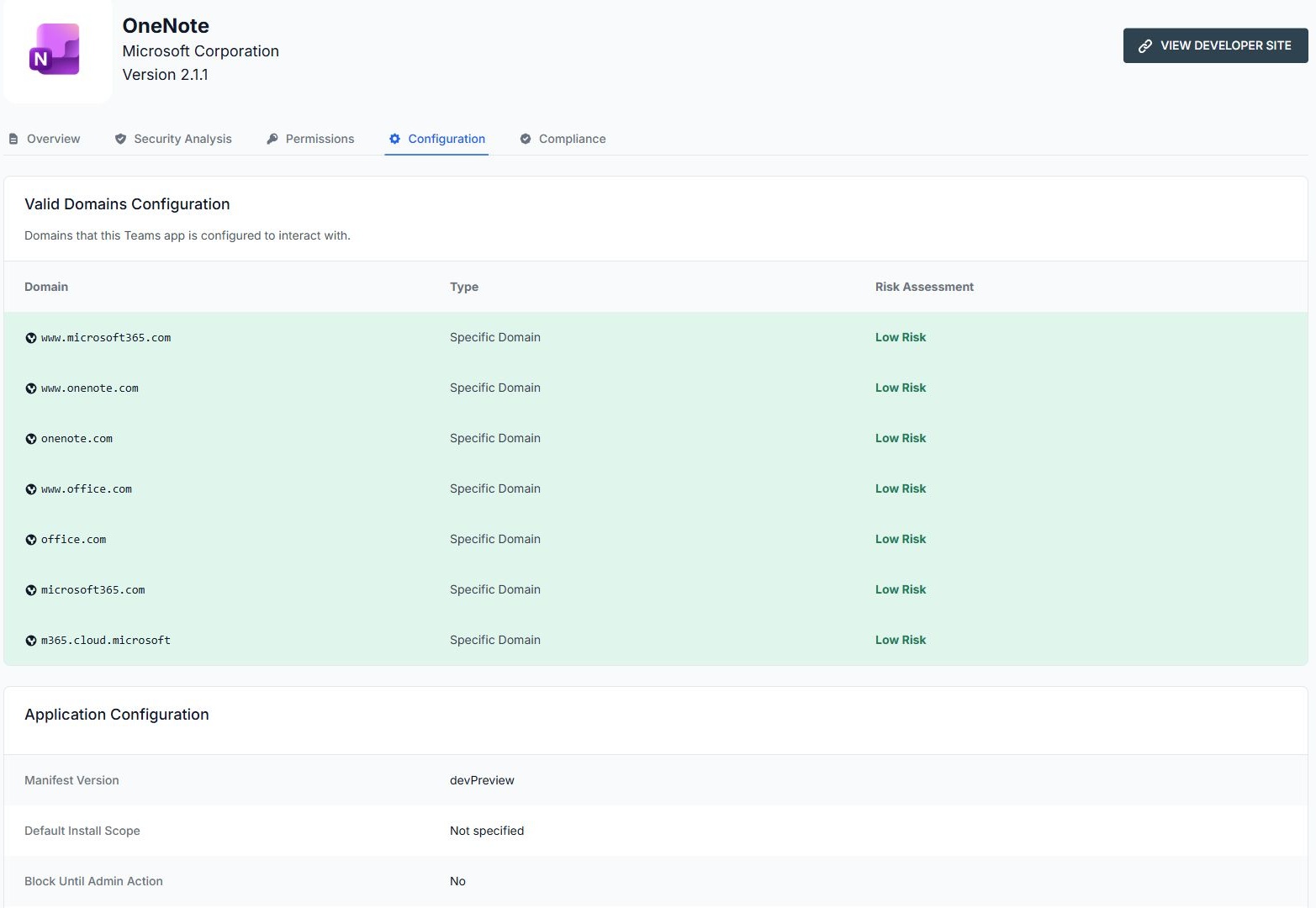
Review valid domains, domain types and their risk assessments. See the manifest version, default install scope and configuration fields that describe how the application is intended to operate.
This brings external connections and manifest settings into the same review as security findings and permissions, helping your team spot configuration that deserves attention.
COMPLIANCE & DOCUMENTATION
See the recorded security compliance status and follow links to the publisher’s privacy policy, terms of use and documentation when available. Missing information is visible, so the reviewer knows where further evidence is needed.
OpenGates provides assessment and oversight. Your team uses the findings to make access and policy decisions in its existing Microsoft 365 processes.
BUILT INTO YOUR MobSTR WORKFLOW
An app’s presence in a familiar platform is one part of the trust decision. Include third-party Teams apps alongside mobile apps and browser extensions in your risk strategy, with evidence for approval, mitigation and ongoing review.
Book an OpenGates demonstrationProduct screens captured in October 2026. Example assessments reflect the application versions and scan dates shown.
Tell us what you need to protect. We’ll show you how MobSTR turns application risk into clear, informed decisions.